
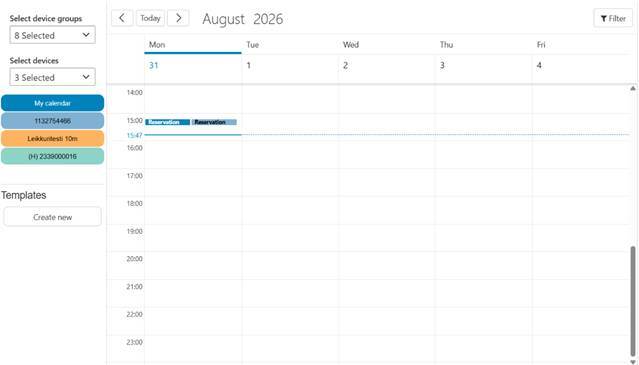
The resource management tool allows you to manage vehicle booking status in a calendar view. You can create vehicle-specific events or bookings in the calendar either by double-clicking the desired time (which automatically creates a one-hour booking) or by dragging the mouse with the left button held down to select the desired time interval. After this, the user can fill in the following details for the calendar event:
- Title
- Description
- Starts
- Ends
- Select device
- Select user
- Select location
- Location
- Select state (Not started, In progress, Completed)
After this, the event is created in the calendar.
The resourcing tool also allows you to create predefined booking templates. Once created, these templates can be dragged directly onto the calendar to a desired time slot. This is a useful feature for adding recurring events to the calendar.