
The area maintenance function allows for monitoring the progress of area maintenance for location groups.
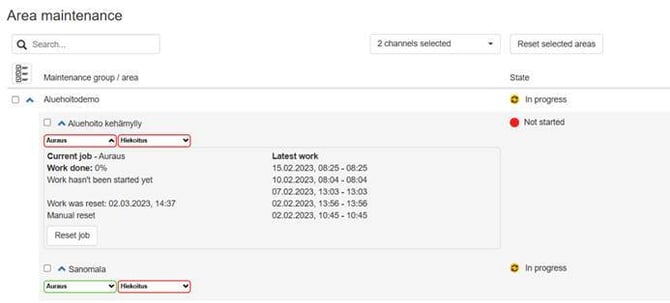
The area can be viewed by specific channels—for example, to see when plowing was last carried out in that area. The five most recent maintenance operations are also displayed.
The stage of completion of the work is determined by visits to the area, the time spent in the area, or the proportion of the surface area that has been maintenance.
You can also manually reset the job status if needed.
The status of the maintenance work is displayed in the map view, color-coded at the named location, as follows:
- RED = Not started
- YELLOW = In progress
- GREEN = Ready