
Always disconnect the negative terminal first before working near the battery.
Device fastening:
Locate the battery in your vehicle. If present remove the
battery cover to access the battery.
Wipe clean the installation surface of the battery if any dust or dirt is visible.
There is a double-sided tape on the back of the device.
(Figure 1), use it to attach the device on the battery, so that the GNSS antenna and LEDs indicators are facing up. (Figure 2).
Connections:
Connecting power wire (RED):
Device power wire is designed to be directly connected to
the positive terminal fastener of the vehicle battery (Figure 2).
Connecting ground wire (BLACK):
Device ground wire is designed to be directly connected to
the negative terminal fastener of the vehicle battery (Figure 2).
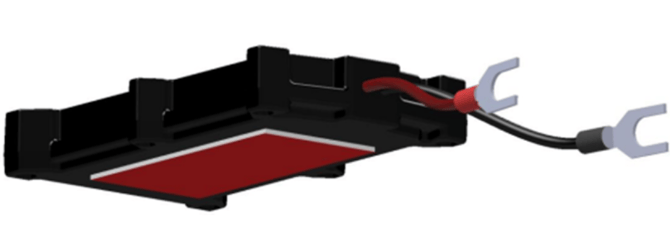
Figure 1: Double-sided tape on back
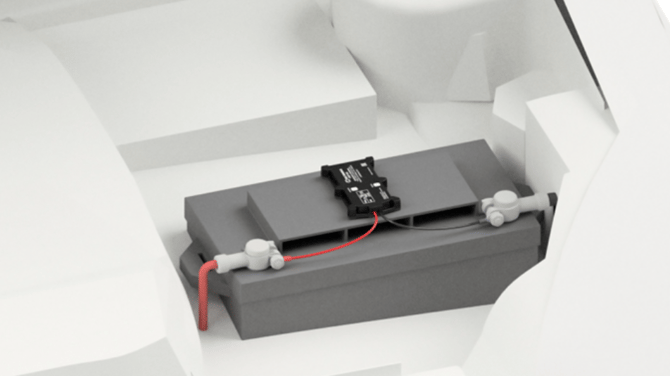
Figure 2: Example of device mounting
Indications:
Navigation LED:
· Permanently on: GNSS signal not received
· Blinking every second: Normal Mode, GNSS is working
· Off: GNSS is turned off.
· Blinking fast: Device firmware is being flashed.
Status LED:
· Blinking every second: Normal mode
· Blinking every two second: Sleep mode
· Blinking fast for a short time: Modem activity.
· Off: Device not working.